
THE WORKFLOW EXPLAINERS
See the flow.
Understand the possibilities.
Explore animated diagrams of the handoffs behind your business. Choose a workflow, then play the sequence or move through each step at your own pace.
HIRING & ONBOARDING
From candidate to colleague
Follow the handoffs from a sourced candidate to a connected employee record.
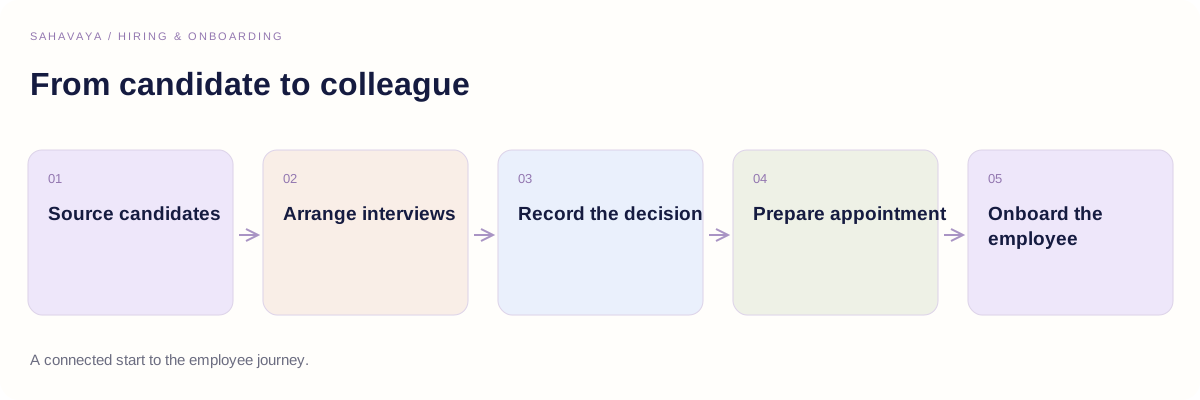
Source candidates
HR / RECRUITMENTCapture the candidate profile, experience, resume and source against the hiring requirement.
Illustrated process · No application recording
THE CONNECTIONA connected start to the employee journey.
LEAVE & APPROVALS
A leave request, connected
Show how a request moves from an employee’s balance to a manager decision.
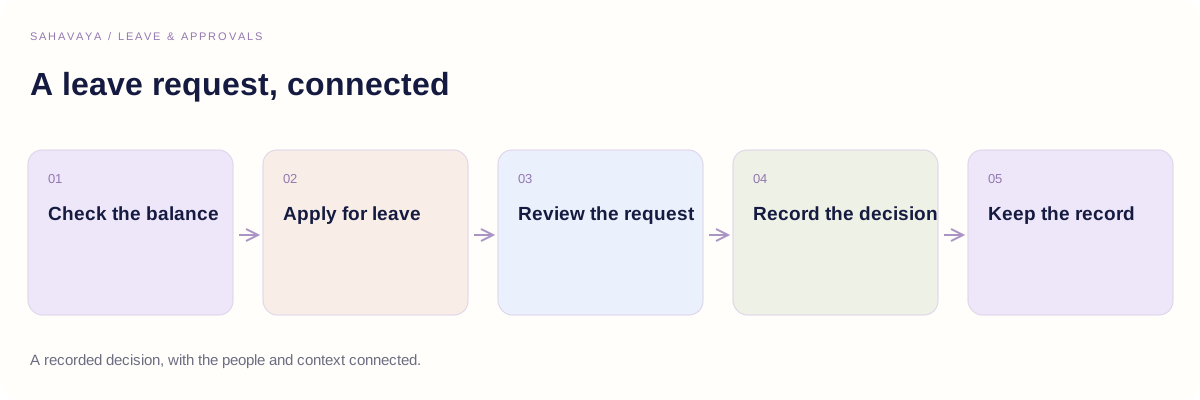
Check the balance
EMPLOYEEReview available balances for the relevant leave category.
Illustrated process · No application recording
THE CONNECTIONA recorded decision, with the people and context connected.
PAYROLL & COMPENSATION
From compensation to payslip
Understand the review points behind a monthly employee payroll cycle.
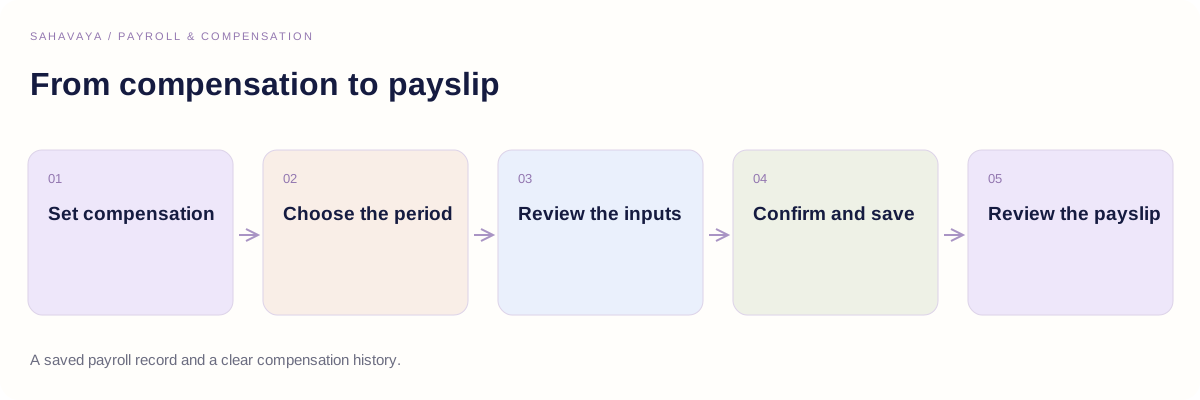
Set compensation
HR / FINANCESave the effective compensation structure, including earnings and deductions.
Illustrated process · No application recording
THE CONNECTIONA saved payroll record and a clear compensation history.
PROCUREMENT & FINANCE
Give every purchase a path
Connect the purchase requirement, its approval and the supporting invoice records.
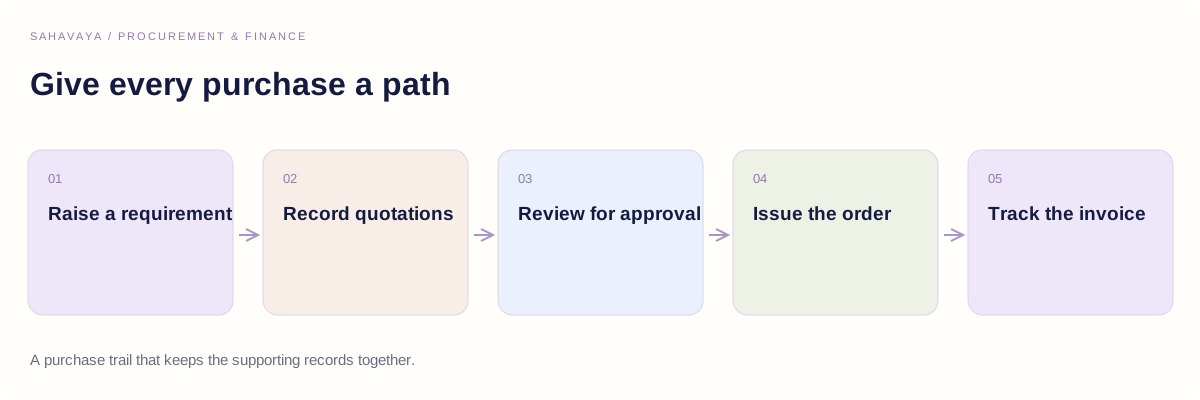
Raise a requirement
REQUESTERStart with the purchase requisition and the business need behind it.
Illustrated process · No application recording
THE CONNECTIONA purchase trail that keeps the supporting records together.
ATTENDANCE & OVERTIME
A clearer view of the workday
Explain the relationship between clock-in status, exceptions, shifts and review.
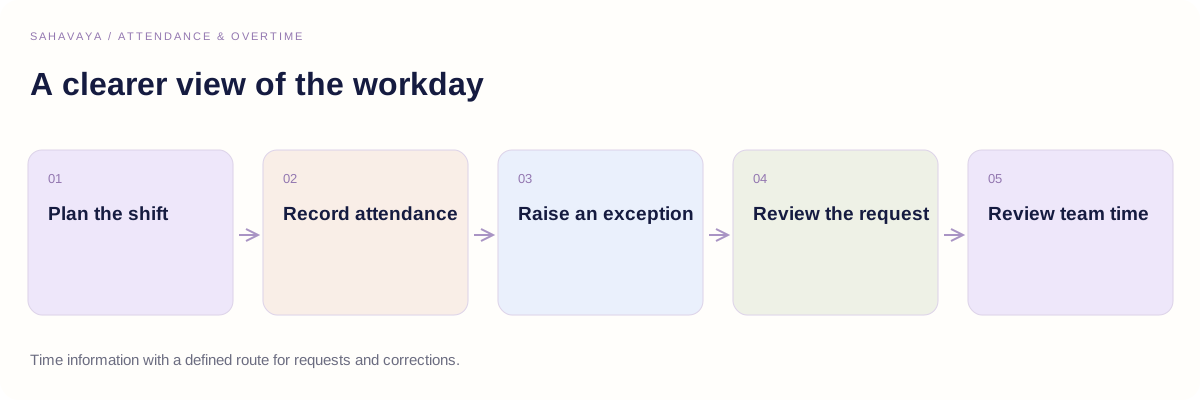
Plan the shift
MANAGERAssign day or night shifts against team and project needs.
Illustrated process · No application recording
THE CONNECTIONTime information with a defined route for requests and corrections.
PROJECTS & DELIVERY
Connect the client to the team
Follow the data and ownership behind a connected delivery setup.
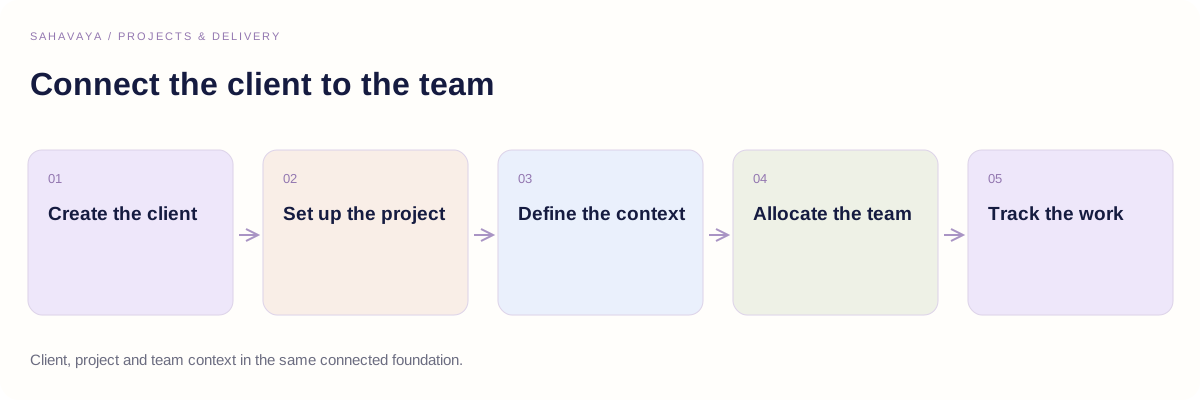
Create the client
CLIENT ADMINISTRATIONCapture client contacts, billing details and tax identifiers.
Illustrated process · No application recording
THE CONNECTIONClient, project and team context in the same connected foundation.
ASSETS & ADMINISTRATION
From asset request to reassignment
See how ownership and history follow an asset through the workplace.
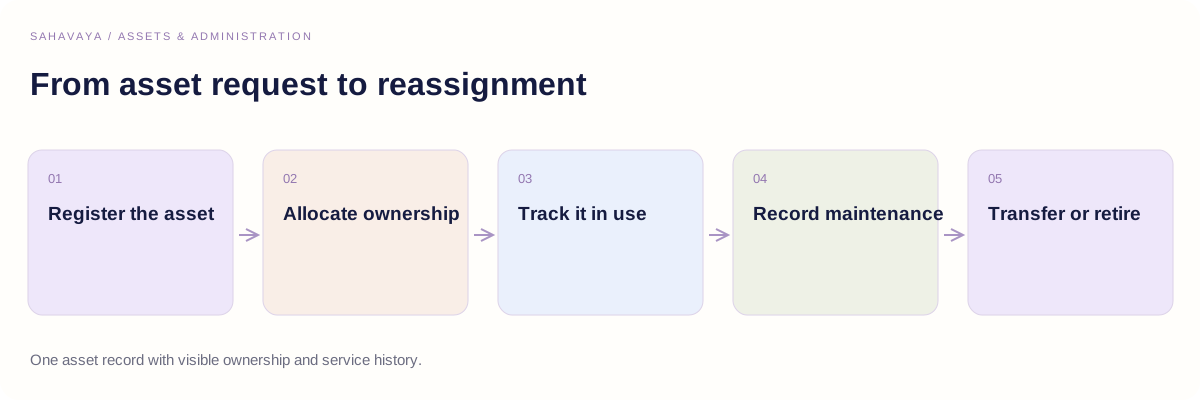
Register the asset
ADMINISTRATIONCapture the company asset and its identifying tag in the asset register.
Illustrated process · No application recording
THE CONNECTIONOne asset record with visible ownership and service history.
IT SUPPORT
A support request with a next step
Illustrate the path from a raised ticket to an accountable resolution.
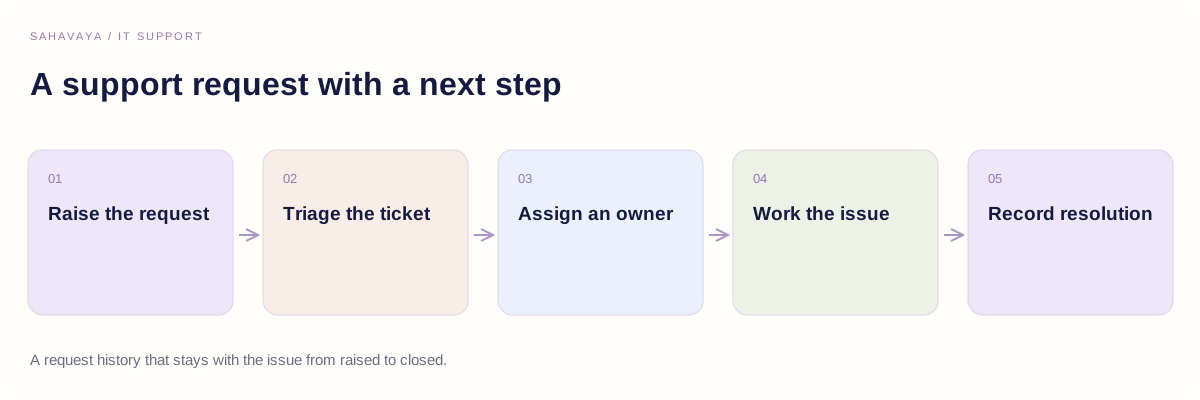
Raise the request
EMPLOYEECreate a support ticket describing the issue or assistance required.
Illustrated process · No application recording
THE CONNECTIONA request history that stays with the issue from raised to closed.
These diagrams explain the main process and handoffs. Your roles, approval rules and implementation scope are discussed during your personalised consultation.
LET’S BUILD YOUR NEXT CHAPTER
Your workflows.
Your way forward.
Let’s discuss the processes, approval paths and business priorities that matter to your team.